
Importing the Threat Index into VECTR
Get the Index Here

Importing an Index to VECTR™
Once you’ve downloaded the YAML file, importing the Index into VECTR is easy! Follow the steps below and you’ll be ready to test in no time.
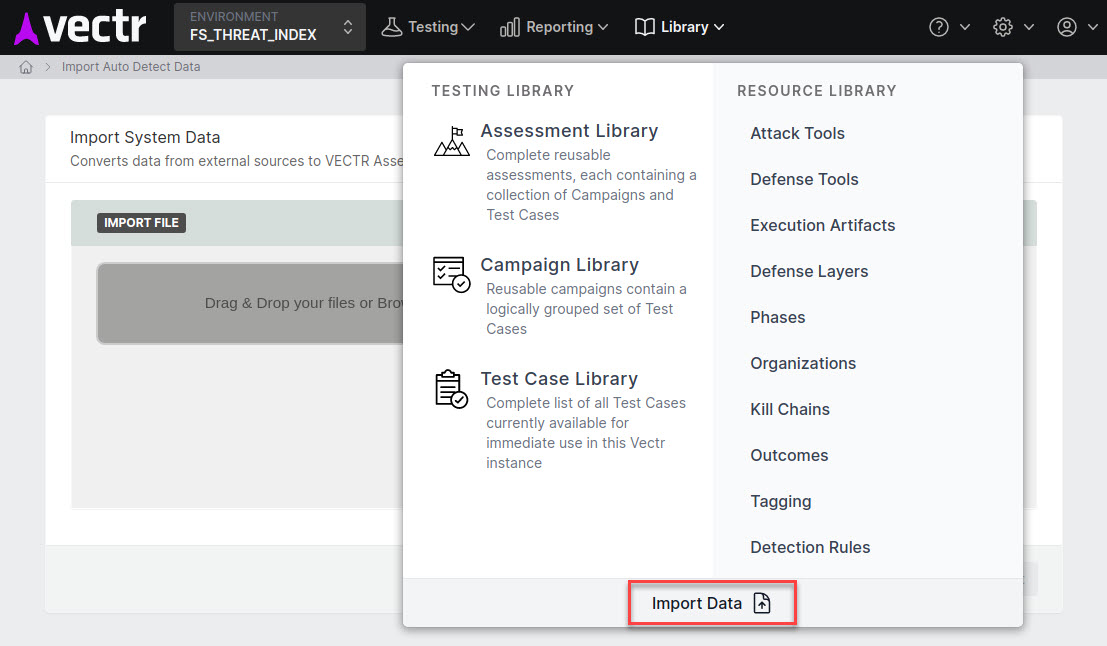
Step 1 - Navigate to Library and click Import Data
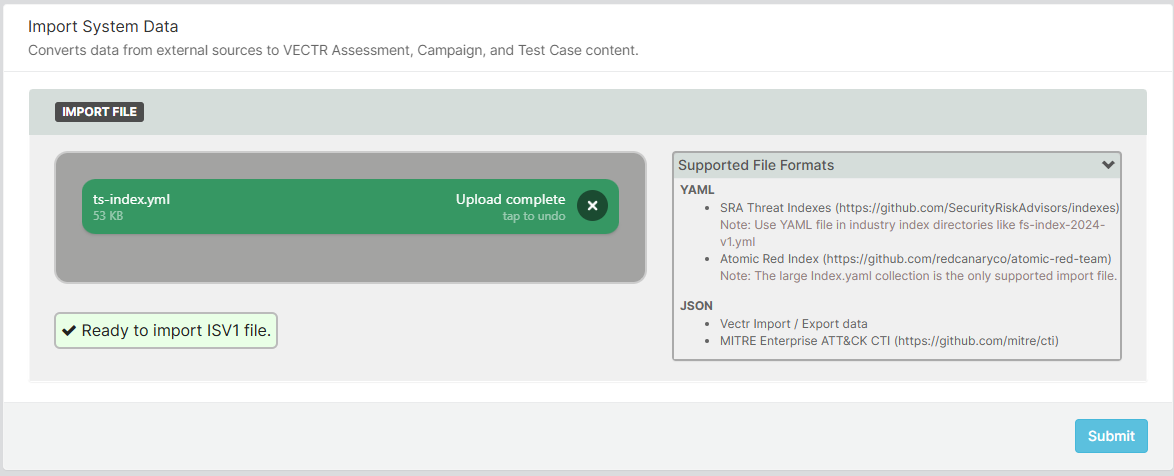
Step 2 - Attach the Threat Simulation Index YAML file to the File Upload field
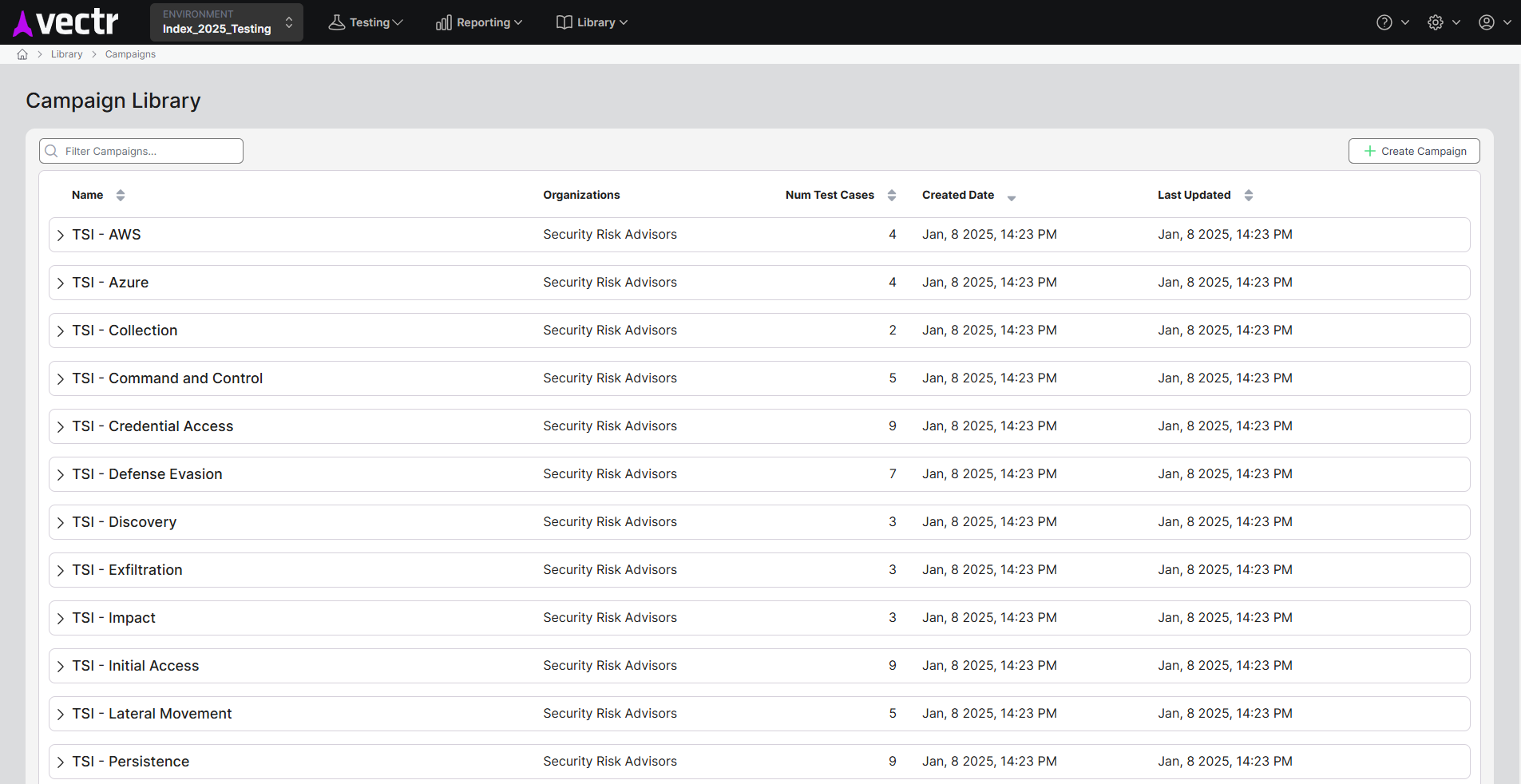
Step 3 - Click Submit and note the newly imported Campaign Templates
You must be logged in to post a comment.